Why the App You Choose Actually Matters
You have got a Firestick. You have got an IPTV subscription (or you are about to get one). The next decision — which app to use — will shape your entire viewing experience. This is not a small detail. The difference between a good IPTV app and a bad one is the difference between flicking through channels smoothly like a cable box and staring at loading spinners while your stream buffers for the third time in ten minutes.
The app controls everything you interact with: how fast channels switch, whether you get a proper programme guide, how the interface feels when you are browsing 45,000 channels, and how reliably your streams actually play. Two people with the exact same IPTV subscription on the exact same Firestick can have completely different experiences purely because of the app they chose.
I have tested every major IPTV player on the Firestick over the past year — from the Firestick Lite to the 4K Max. Installed them all, ran them side by side on the same subscription, flicked through channels, stress-tested the EPG, watched live sport on busy Saturday evenings. Here is what I found.
TiviMate — Our Top Pick
TiviMate is the app I use every day, and it is the one I recommend to anyone who asks. It is developed by a single developer (AR Mobile Dev) and it shows — in the best way. Every feature feels considered. There is no bloat, no unnecessary menus, no adverts interrupting you. Just a fast, clean IPTV player that does exactly what you need.
The Interface
The first thing you notice is how fast it is. TiviMate uses a Material Design interface that feels responsive on even the older Firestick models. Channels load in the sidebar, grouped by category, and you can scroll through them without the stuttering and lag that plagues other apps. Press OK on a channel and it starts playing almost instantly — usually under a second. That speed adds up when you are flicking between channels looking for something to watch.
The EPG (Electronic Programme Guide)
This is where TiviMate genuinely pulls ahead of everything else. The programme guide is excellent. You get a full grid view that shows what is on now, what is coming up next, and what is scheduled for the next several days. You can switch between a standard grid layout, a compact list view, or a now/next view depending on how you prefer to browse. The guide loads quickly, scrolls smoothly, and colour-codes programmes so you can scan it at a glance. No other IPTV app on Firestick comes close to this.
Channel Switching Speed
In my testing, TiviMate consistently switches channels faster than any other app. On the Firestick 4K Max, most channels load in under a second. On the standard Firestick, it is around one to two seconds. For comparison, IPTV Smarters typically takes two to three seconds on the same device. When you are flicking through channels — especially during live sport — that difference is noticeable and it matters.
Multi-Playlist Support
If you have more than one IPTV subscription (some people keep a backup provider), TiviMate handles this cleanly. You can add multiple playlists and switch between them, or merge them into a single channel list. The free version limits you to one playlist, but the premium version removes that restriction.
Catch-Up TV and Recording
Premium TiviMate supports catch-up TV — if your IPTV provider offers it (we do), you can rewind live television and watch programmes you missed. You can also schedule recordings directly from the EPG, which saves to a USB drive or the Firestick's internal storage. It is not a full DVR, but for catching a match you missed or recording a film overnight, it works well.
Price
TiviMate has a free version that handles basic playback well. The premium version costs roughly £5 per year (sometimes offered as a one-time purchase depending on the licence tier) and unlocks everything — multiple playlists, recording, catch-up, advanced EPG features, and favourites management. It is the best fiver you will spend on your Firestick.
The Drawback
TiviMate is not available on the Amazon App Store. You need to sideload it using the Downloader app. This takes about two minutes and is straightforward, but it is an extra step that might put off less technical users. Our Firestick setup guide covers the sideloading process step by step if you need help.
Verdict: The best IPTV app for Firestick. Period. If you care about speed, a proper programme guide, and a polished interface, TiviMate is what you want. The sideloading is a minor inconvenience for a significantly better experience.
IPTV Smarters Pro — Best for Beginners
IPTV Smarters Pro is the app most IPTV providers recommend by default, and the reason is simple: it is the easiest to set up. If you have ever felt intimidated by sideloading apps or messing about with M3U URLs, Smarters takes all of that friction away.
Setup and Login
Smarters uses the Xtream Codes API, which means you log in with three pieces of information: your server URL, your username, and your password. You get these from your IPTV provider when you sign up. Enter them, press connect, and the app loads your entire channel list, your VOD library, your series catalogue, and your EPG automatically. No playlist files to download, no URLs to copy and paste. Three fields and you are watching.
The Interface
Smarters organises everything into clear sections: Live TV, Movies, Series, and Catch-Up. The live TV section groups channels by category (entertainment, sports, news, kids, etc.) and you can add favourites for quick access. The movies and series sections display cover art and descriptions, so browsing your VOD library feels more like browsing Netflix than scrolling through a list of file names.
EPG
The programme guide is functional. It shows you what is on now and what is coming up, and you can scroll through upcoming schedules. It is not as polished or as fast as TiviMate's — the grid can stutter when scrolling through a large channel list — but it does the job. For most people, especially those who mainly watch a handful of regular channels, it is perfectly adequate.
Multi-Platform Availability
One of Smarters' biggest advantages: it is available on the Amazon App Store. No sideloading required. Search for it, install it, done. It is also available on Android phones, iPhones, iPads, Smart TVs, and Windows. If you use IPTV on multiple devices, having the same app everywhere is convenient.
Picture-in-Picture and Multi-Screen
Smarters supports picture-in-picture (PiP) on devices that allow it, meaning you can watch a channel in a small window while browsing others. This is handy during football — keep an eye on one match while checking scores on another channel.
The Drawbacks
Channel switching is noticeably slower than TiviMate. In my testing, it takes around two to three seconds per channel switch on a Firestick 4K, compared to under a second for TiviMate. The interface, while clean, can occasionally feel sluggish on older Firestick models. And the EPG, while functional, lacks the layout options and responsiveness of TiviMate's guide.
Verdict: The best choice for anyone who wants the simplest possible setup. Three fields, one button, you are watching. If channel switching speed and EPG quality are not dealbreakers for you, Smarters does everything you need with zero hassle.
GSE Smart IPTV — Decent Free Option
GSE Smart IPTV fills a specific gap: it is free (with adverts), supports a wide range of playlist formats, and works reasonably well as a no-cost IPTV player. It is also one of the better options for Chromecast users who want to cast IPTV to a television from their phone.
Playlist Format Support
GSE supports M3U playlists, Xtream Codes API logins, and JSON playlists. This flexibility means it works with virtually any IPTV provider regardless of how they deliver their channel list. If your provider gives you an M3U URL, a JSON file, or Xtream Codes credentials, GSE handles all three.
EPG
The programme guide works, but it is noticeably slower than both TiviMate and Smarters when loading large channel lists. If your subscription has thousands of channels (ours has 45,000+), the EPG can take a while to populate on first load. Once loaded, it is functional — now/next information, programme descriptions, basic scheduling — but it is not something you will enjoy browsing the way you would with TiviMate.
Chromecast Support
This is GSE's standout feature. If you use a Chromecast rather than a Firestick (or alongside one), GSE lets you cast IPTV streams directly from your phone to your television. Not many IPTV apps handle Chromecast well. GSE does.
The Interface
Dated. That is the honest assessment. GSE's interface looks like it was designed several years ago and has not had a meaningful visual refresh. It works, everything is where you expect it to be, but it feels clunky compared to TiviMate's clean Material Design or even Smarters' straightforward layout. The ads in the free version can also be intrusive, popping up between navigation actions.
Verdict: A solid free option and the best choice if you use a Chromecast. The dated interface and ads hold it back from competing with TiviMate or Smarters for daily use, but if you want a functional IPTV player without spending anything, it does the job.
XCIPTV Player — The Underrated Alternative
XCIPTV flies under the radar. Most IPTV app comparisons do not mention it, but it has quietly become one of the better alternatives to TiviMate, particularly for people who want a modern interface without the sideloading hassle.
The Interface
XCIPTV has a clean, modern interface that is clearly inspired by TiviMate. The channel list is well-organised, scrolling is smooth, and the overall feel is more polished than Smarters or GSE. It supports dark and light themes and the layout adapts well to different screen sizes.
EPG and Features
The programme guide is good — not TiviMate-level, but better than Smarters. It supports multiple playlist management, favourites, parental controls, and catch-up TV (where the provider supports it). Channel switching speed sits between TiviMate and Smarters in my testing — around one to two seconds on the Firestick 4K.
Free and Paid Versions
XCIPTV offers a free version with core functionality and a premium version that removes ads and unlocks additional features. The premium version is reasonably priced and removes the limitations that make the free version occasionally frustrating.
The Drawbacks
It does not have the same developer community or update frequency as TiviMate. Bug fixes come slower, and occasionally a Firestick OS update will cause a temporary compatibility issue. It also lacks TiviMate's recording feature.
Verdict: A genuinely good alternative to TiviMate, especially if you want a modern interface and do not need recording. Worth trying if TiviMate's sideloading requirement puts you off or if you want to compare options before committing to one app.
VLC Media Player — Last Resort
VLC is the Swiss army knife of media players. It has been around for decades, plays virtually any video format, and supports IPTV streams via M3U URLs. It is completely free, open-source, and available on every platform. But let me be blunt: it is not an IPTV app. It is a media player that happens to be able to play IPTV streams.
There is no EPG. No channel organisation. No favourites. No catch-up. You load an M3U playlist and you get a flat list of streams. Want to find a specific channel? You are scrolling through a text list. Want to know what is on? You need to actually play the channel and see. Want to switch quickly between channels? You are navigating back to the playlist every time.
VLC is useful as a troubleshooting tool — if a stream is not working in TiviMate or Smarters, testing it in VLC tells you whether the problem is the app or the stream itself. It is also the best option on platforms where dedicated IPTV apps are not available (Linux desktops, for instance). But for daily use on a Firestick, it is a last resort. If you need help getting it set up, our Firestick setup guide covers the basics.
Verdict: Keep it installed as a backup for troubleshooting. Do not use it as your primary IPTV app unless you have no other option.
Which App Should You Choose?
After months of testing, here is the decision simplified:
- If you want the best experience: TiviMate Premium. Fastest channel switching, best EPG, cleanest interface. The sideloading takes two minutes and you will not think about it again.
- If you want the easiest setup: IPTV Smarters Pro. Install from the Amazon App Store, enter three login fields, start watching. No sideloading, no fuss. Perfect for anyone who is not technical or who just wants to get going quickly.
- If you want a free option: GSE Smart IPTV. Free with ads, supports all playlist formats, decent Chromecast integration. The interface is dated but it works.
- If you are tech-savvy and want an alternative: XCIPTV Player. Modern interface, good EPG, sits nicely between TiviMate and Smarters in terms of features and polish.
- If nothing else works: VLC. As a troubleshooting tool or a fallback on unsupported platforms, it is reliable. As a daily IPTV player, it is not.
For most people reading this, the real choice is between TiviMate and Smarters. If you are comfortable spending two minutes sideloading an app, go with TiviMate — you will not regret it. If you would rather avoid sideloading entirely, Smarters is excellent and available directly from the app store.
How to Install IPTV Apps on Firestick
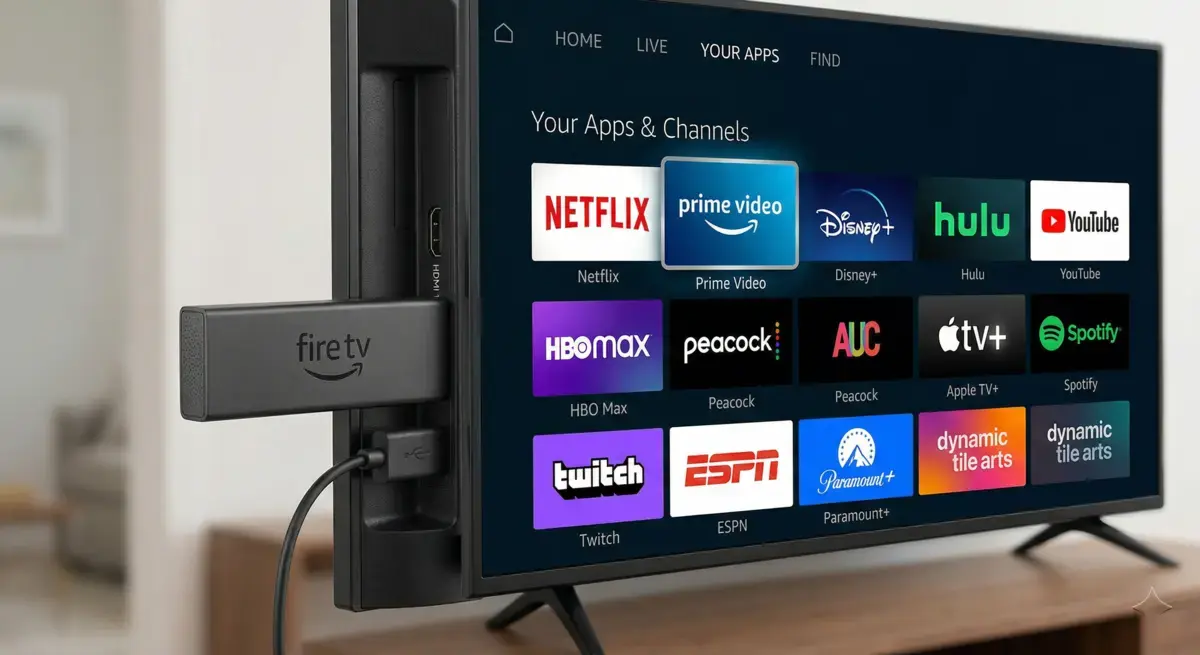
Apps that are on the Amazon App Store (IPTV Smarters, GSE Smart IPTV, VLC) can be installed directly — just search for the app name using the Firestick search and download it. No extra steps needed.
Apps that are not on the Amazon App Store (TiviMate, XCIPTV) need to be sideloaded. This sounds more complicated than it is. You install the free Downloader app from the Amazon App Store, enter a URL, and the app downloads and installs. The whole process takes about two minutes.
We have a full, step-by-step Firestick setup guide that covers installation for every app listed here, including sideloading with screenshots. If you are new to this, start there.
You Will Need a Subscription
Every app in this list is just a player — it does not include any channels or content on its own. You need an IPTV subscription that provides the channel list, and then you load those details into whichever app you choose. If you do not have a subscription yet, you can try our free 24-hour trial to test everything with full access to all 45,000+ channels. No card details required.
Once you have tested and you are ready to commit, our subscription plans start from just £6.67 per month with no contract. If you run into any issues with buffering or playback on any of these apps, check our buffering troubleshooting guide. And if you have general questions about how IPTV works, our FAQ page covers the most common ones.
Share This Article
Comments (8)
Is TiviMate actually worth paying for? The free version seems to work alright. Not sure if spending the fiver on premium makes a real difference or if it is one of those things where free is good enough.
Hi Claire! The free version is decent for trying it out, but premium is a completely different experience. You get multiple playlist support, recording, catch-up TV, and a much smoother EPG. For a one-off fiver it is genuinely the best value upgrade you will make. Once you use premium you will not go back.
Just want to say — Smarters is by far the easiest to get going. My mum is not technical at all and she managed to set it up herself in about two minutes. Three fields, hit connect, done. For anyone who just wants to watch telly without faffing about, Smarters is the one.
I get occasional buffering on Smarters but TiviMate plays the same channels perfectly. Is that normal? Same Firestick, same internet connection, different app, different result. Makes no sense to me.
Hi Ali! That is actually more common than you would think. Different apps handle stream buffering and codec decoding differently. TiviMate uses a more efficient video player engine which can make a noticeable difference, especially on HD and 4K streams. If you are getting buffering, also check out our <Link href="/troubleshooting/buffering" style={{ color: "var(--color-primary)", textDecoration: "underline" }}>buffering troubleshooting guide</Link> for other fixes.
TiviMate tip for anyone who has just installed it — go into Settings, then Player, and set the buffer size to Medium or High. Makes a massive difference on busy evenings when loads of people are streaming. Also set your EPG to update every 8 hours instead of the default. Keeps the programme guide accurate without hammering the server.
Does all this work on the Firestick 4K Max? I have got the newest one and want to make sure these apps are compatible before I start messing about with sideloading things.
Hi Liam! Yes, every app in this guide works perfectly on the Firestick 4K Max. In fact the 4K Max is the best Firestick for IPTV — the extra processing power means faster channel switching and smoother 4K playback. TiviMate in particular runs beautifully on it.