You have decided you want IPTV for football. Maybe you are sick of paying Sky £80 a month for an incomplete service. Maybe a mate told you about it. Maybe you read our guide on watching Premier League without Sky and want to take the next step. Whatever brought you here, the question is the same: which IPTV service is actually good for live sport?
Because here is the thing nobody tells you — not all IPTV services are built the same. Some are fantastic. Some are dreadful. And the difference between a good IPTV provider and a bad one is never more obvious than when the Premier League kicks off at 3pm on a Saturday afternoon and a million people hit the stream at the same time.
This guide is not a generic "top 10 IPTV providers" listicle. It is a practical breakdown of what actually matters when you are choosing an IPTV service for live football and sport. What features to look for, what red flags to avoid, what makes the difference between smooth 4K football and a buffering mess at the worst possible moment.

What Football Fans Actually Need from IPTV
Before you start comparing providers, you need to know what you are comparing them on. The features that matter for watching live sport are not the same as the features that matter for on-demand films. Someone streaming Netflix does not care about server stability at peak times or whether the EPG updates properly. A football fan does. Here are the five things that separate an IPTV service that works for sport from one that does not.
Reliability During Peak Match Times
This is the single most important thing and it is the one that most IPTV providers get wrong. Saturday at 3pm is the busiest moment in UK football. The majority of Premier League matches kick off simultaneously. Every IPTV user in the country tries to connect at the same time. If a provider does not have the server infrastructure to handle that spike, the stream buffers, freezes, or drops entirely — exactly when you need it most.
A good IPTV provider for sport invests in dedicated servers for peak match times. They do not put football fans on the same server as someone watching a Turkish soap opera at 3am. They have multiple feeds per channel so if one server has issues, the traffic routes to a backup automatically. This is the difference between watching your team score and staring at a loading wheel while you hear your neighbour celebrate through the wall.
4K and HD Quality That Actually Holds
Resolution matters more for sport than anything else on television. A film at 720p is watchable. Football at 720p is a blur of indistinguishable green shapes. You need to see the ball clearly, read the scoreboard, and follow fast movement without artefacting or pixel smear. That means consistent HD at minimum, with 4K available for the big fixtures.
The key word is consistent. Plenty of IPTV services advertise 4K but the picture drops to standard definition the moment demand increases. What you want is a provider that maintains HD quality even when every football fan in the country is streaming simultaneously. If the picture quality collapses every Saturday at 3pm, the "4K" label in the channel guide means nothing.
A Proper EPG (Electronic Programme Guide)
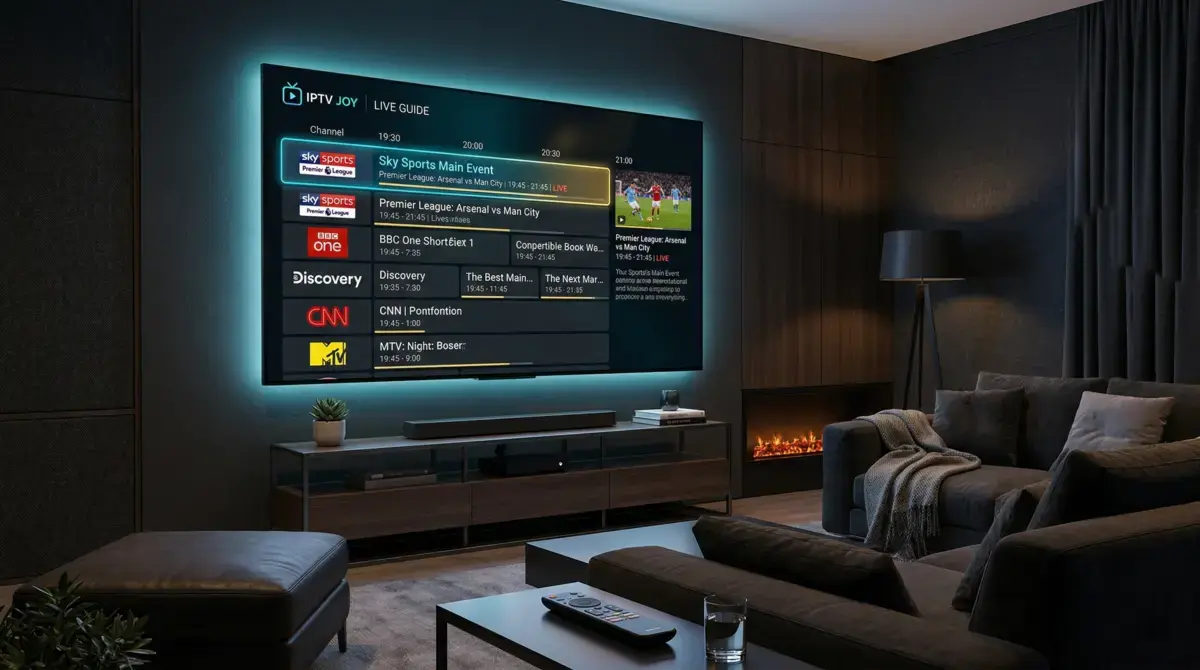
When you have thousands of channels, finding the right one quickly matters. A proper EPG tells you what is on every channel right now and what is coming up. You should be able to see at a glance which channel is showing Arsenal vs Chelsea, when the match starts, and what is on the other sports channels at the same time.
Cheap IPTV providers either have no EPG at all or one that is days out of date. You end up scrolling through hundreds of channels with names like "UK Sports 1" and "UK Sports 2" trying to figure out which one has your match. A good provider has an accurate, up-to-date EPG that matches the actual broadcast schedule and updates daily.
Catch-Up and Multi-Device Support
Life does not revolve around the fixture list. Sometimes you are working during a midweek Champions League match. Sometimes you are on a train during a Saturday kickoff. You need two things: catch-up so you can watch matches you missed, and multi-device support so you can watch on your phone, tablet, or laptop when you are not in front of the TV.
Catch-up typically gives you 24 to 72 hours to replay anything that aired on supported channels. Multi-device means your subscription works on your Firestick at home, your phone on the train, and your laptop in a hotel room — without needing to buy separate subscriptions for each.
Customer Support That Responds When It Matters
If something goes wrong five minutes before kickoff, you do not want to be filling out a support ticket and waiting 48 hours for a reply. You want to message someone and get help immediately. The best IPTV providers for sport offer WhatsApp or live chat support with fast response times, particularly on match days. This is not a nice-to-have — it is essential when you are paying for a service you rely on for live events.
The 5 Things That Make or Break IPTV for Sports
Now that you know what to look for in general, here are the five specific technical factors that determine whether your IPTV experience on match day is going to be brilliant or terrible. These are the questions you should be asking before you hand over any money.
1. Server Stability Under Load
This is the big one. Every IPTV provider works fine at 2am on a Tuesday. The test is Saturday at 3pm when hundreds of thousands of connections hit the servers simultaneously. Ask whether the provider has dedicated sports servers. Ask whether they have redundancy — backup feeds that kick in if the primary server gets overloaded. If they cannot answer these questions or give vague non-answers, that tells you everything you need to know.
2. Channel Variety for Football
The Premier League is broadcast on different channels depending on the region of the feed. Sky Sports Main Event carries the headline match. Sky Sports Premier League carries the secondary picks. International feeds from beIN Sports, DAZN, Canal+, and others carry the Saturday 3pm matches that UK channels cannot show. A good IPTV service for football includes all of these — Sky Sports, TNT Sports (formerly BT Sport), beIN, DAZN, ESPN, and dedicated Premier League feeds from around the world.
If a provider only offers UK channels, you lose the 3pm kickoffs. If they only offer international feeds, the commentary might not be in English. The best providers give you both so you can choose.
3. Consistent Picture Quality
I said this above but it bears repeating because it is the most common complaint from people who tried a cheap IPTV service and gave up on the whole concept. A provider that delivers 4K during a quiet midweek match but drops to 480p during a Saturday afternoon derby is worse than one that delivers consistent HD all the time. Consistency is what you are paying for.
4. Device Compatibility
You should be able to watch on whatever device you have. Firestick, Smart TV, Android box, phone, tablet, laptop, MAG box. If a provider only supports one or two devices, that limits when and where you can watch football. The best providers work everywhere and give you clear setup guides for each device so you are not left figuring it out yourself.
5. Support Response Time on Match Days
This is the one most people do not think about until they need it. You are five minutes from kickoff in a Champions League quarter-final and the stream will not connect. What happens next? With a good provider, you send a WhatsApp message and get a reply within minutes — often with a different server link or a quick fix that gets you watching before the first whistle. With a bad provider, you send an email to a generic address and hear back on Thursday.
What to Look for in an IPTV Provider (and What to Avoid)
The IPTV market is full of providers that look identical on the surface. Same claims about channel counts. Same prices. Same promises about 4K quality. The difference is in the details — and there are clear signals that separate a professional operation from one that will take your money and disappear.
Green Flags — Signs of a Good Provider
- A proper website — Not a Telegram channel or a Reddit post. An actual website with clear pricing, feature descriptions, contact information, and setup guides. If a provider cannot maintain a website, they are not going to maintain stable servers.
- WhatsApp or live chat support — Real-time support that you can actually reach. Bonus points if they respond quickly on match days when demand for help is highest.
- A free trial — Any provider confident in their service will let you test it before paying. A 24-hour trial on a match day tells you everything you need to know about reliability, quality, and channel selection. No card details should be required.
- A clear refund policy — If they do not mention refunds anywhere, assume you are not getting one. A provider that offers a money-back guarantee is telling you they stand behind the product.
- Setup documentation — Written guides, ideally with screenshots, for every supported device. This shows they care about the customer experience beyond just selling subscriptions.
- Transparent pricing — No hidden fees, no "premium tiers" for sports, no extra charges for PPV events. Everything included in every plan.
Red Flags — Signs of a Bad Provider
- Telegram or WhatsApp groups only — No website, no email, just a group chat where someone posts subscription links. These operations disappear overnight and take your money with them.
- No trial available — If they will not let you test the service, they know it will not hold up to scrutiny. Walk away.
- Absurdly low prices — If someone is offering 12 months for £10, the maths does not work. Server infrastructure costs money. Staff costs money. A price that low means they are either overloading their servers to the point of uselessness, or they are selling subscriptions knowing the service will not last.
- Vague channel claims — "100,000 channels!" without a channel list you can actually browse. Quantity means nothing if half the channels are dead links or duplicates.
- No refund policy — They want your money upfront and they do not plan on giving any of it back. Combined with no trial, this is the biggest red flag in the industry.
- Payment by crypto only — Legitimate providers accept card payments and PayPal alongside crypto. If crypto is the only option, they are making it impossible for you to dispute the charge when the service fails.
IPTVJoy for Premier League Fans — What We Offer
We are going to be transparent here — we are recommending our own service. But we are doing it because we built it specifically to solve the problems listed above. Every feature we offer is a direct response to what football fans told us they needed and what other providers were getting wrong.
Every Premier League Match, Every Saturday 3pm Kickoff
All 380 Premier League matches per season, streamed live. That includes every Saturday 3pm kickoff — the matches that Sky, TNT Sports, and every other UK broadcaster is legally prohibited from showing. We carry international feeds from broadcasters outside the UK blackout zone, so the 3pm slot is fully covered. Your team plays, you watch. Every week, no exceptions. For the full breakdown of our Premier League coverage, visit our dedicated Premier League page.
European Football and Domestic Cups
Champions League — every group stage match, every knockout round, every final. Europa League and Conference League too. FA Cup from the third round to the Wembley final. Carabao Cup including the semi-finals. Community Shield. If there is a competitive football match happening involving an English club, it is on IPTVJoy.
Beyond Football — Every Sport Included
Every F1 Grand Prix. Every boxing PPV — no extra charge. UFC fight nights and numbered events included in your subscription. Cricket, rugby, tennis, golf, NFL, NBA, La Liga, Serie A, Bundesliga. Over 45,000 live channels covering every sport from every country. All included in every plan from £6.67 per month. Our sports page and football page cover the full range.
Dedicated Servers for Peak Match Times
We run separate server infrastructure specifically for live sports channels during peak periods. Saturday 3pm, Champions League Tuesday and Wednesday, derby weekends — our systems are built to handle the surge without quality degradation. Multiple feeds per channel mean if one server has an issue, traffic routes automatically to the backup. This is the single biggest investment we make and the reason our streams hold up when cheaper providers collapse.
24/7 WhatsApp Support
Something goes wrong five minutes before kickoff? Message us on WhatsApp. We respond in minutes, not days. Our support team knows the match schedule and they know that a football fan with a broken stream at 2:55pm on Saturday needs help now, not after the full-time whistle.
Free 24-Hour Trial
We do not ask you to trust our word. Grab a free 24-hour trial, set it up on a match day, and judge the quality yourself. No card details. No commitment. If it is not good enough, you have lost nothing.
Match Day Setup Guide — How to Prepare for a Big Match on IPTV
Having the best IPTV provider in the world does not help if your home setup is not ready. The difference between a smooth match-day experience and a frustrating one often comes down to preparation. Here is what to do before every big match.
Test Your Connection Before Kickoff
Do not wait until the referee blows the whistle to find out your internet is playing up. Thirty minutes before the match, open your IPTV app and check a sports channel. Is the picture clear? Is the audio in sync? If something is off, you have time to fix it. If you wait until kickoff, you are troubleshooting while the match is happening.
Use Ethernet Instead of Wi-Fi
This is the single biggest improvement most people can make. Wi-Fi is convenient but it is shared bandwidth — your partner watching YouTube in the kitchen, the kids on tablets upstairs, the smart doorbell uploading video. All of that competes with your football stream. A £6 ethernet cable from your router to your Firestick or TV eliminates that competition entirely. It is the difference between a rock-solid connection and one that stutters when the household internet gets busy.
If your router is in a different room and running a cable is impractical, a powerline adapter (about £25) sends your internet through the electrical wiring in your walls. Plug one into a socket near the router, plug another near the TV, and connect with a short ethernet cable. Almost as good as a direct connection and far more reliable than Wi-Fi for live sport.
Bookmark Your Channels
Most IPTV apps — TiviMate, IPTV Smarters Pro, OTT Navigator — let you mark channels as favourites. Before the season starts, go through the sports section and bookmark every channel you are likely to use: Sky Sports Main Event, Sky Sports Premier League, the international feeds for 3pm kickoffs, TNT Sports for Champions League nights. This means on match day you are not scrolling through thousands of channels looking for the right one — you open your favourites list and everything is right there.
Know Which Channel Your Match Is On
Check the EPG (Electronic Programme Guide) in your IPTV app the morning of the match. The EPG shows you exactly which channel is broadcasting which fixture and what time coverage starts. Most apps let you search by team name as well. Five seconds of checking in the morning saves five minutes of panicked scrolling at 2:58pm.
Have a Backup Plan
Even on the most reliable service, things can occasionally hiccup. Know where your backup channels are. If Sky Sports Main Event has an issue, the same match is usually on an international feed. If one beIN Sports channel stutters, there are three others carrying the same fixture from different regions. Having two or three channel options for the same match means a problem on one feed is a minor inconvenience, not a disaster.
For detailed step-by-step setup instructions for your specific device, visit our Firestick setup guide or browse the full setup section. If you are experiencing buffering, our buffering troubleshooting guide covers every fix.
Frequently Asked Questions
What internet speed do I need for 4K football on IPTV?
For consistent 4K streaming, 25 Mbps is the realistic minimum, though 50 Mbps gives you comfortable headroom. For standard HD, 15 Mbps is enough. The average UK broadband speed is well over 60 Mbps in 2026, so most households are already set. A wired ethernet connection makes more difference than raw speed — it keeps the connection stable when other devices in the house are using bandwidth.
Can I watch Saturday 3pm Premier League kickoffs on IPTV?
Yes. This is one of the main reasons football fans choose IPTV. UK broadcasters like Sky and TNT Sports are legally prohibited from showing matches that kick off between 2:45pm and 5:15pm on Saturdays. IPTV carries international feeds from broadcasters outside this restriction, so every 3pm kickoff is fully covered. It is the only way to watch them live at home in the UK.
Will the stream buffer during big matches?
On a good IPTV service with dedicated sports servers — no. Buffering happens when a provider overloads their servers or when your home internet is not up to the task. IPTVJoy runs separate server infrastructure for peak match times with automatic failover to backup feeds. On your end, using an ethernet connection instead of Wi-Fi is the single most effective way to prevent buffering. If you are experiencing issues, our buffering troubleshooting guide walks through every fix.
Does IPTV include Champions League and Europa League?
Yes — every Champions League match from the group stages through to the final, plus Europa League and Conference League. All included in every IPTVJoy plan. No need for a separate TNT Sports subscription.
What devices can I watch football on?
Amazon Firestick, Smart TVs (Samsung, LG, Sony), Android TV boxes, phones, tablets, laptops, and MAG boxes. Most football fans use a Firestick 4K with the TiviMate app — it gives you the best EPG, fastest channel switching, and smoothest 4K playback. See our setup guides for step-by-step instructions on every device.
Is there a free trial so I can test it on match day?
Yes. We offer a free 24-hour trial with full access to every channel and feature. No credit card required. The smartest thing to do is activate it 30 minutes before a match you want to watch — that way you are testing the service under real match-day conditions, not during a quiet Tuesday afternoon.
How does IPTVJoy compare to other IPTV providers for sport?
The three things that set us apart for live sport are dedicated servers for peak match times (most providers share infrastructure across all content), 24/7 WhatsApp support with fast response times on match days, and a free trial that lets you judge the quality yourself before paying anything. We also include every PPV event — boxing, UFC — in the base subscription with no extra charges.
Share This Article
Comments (6)
Saturday routine is sorted now. I get home from five-a-side at half twelve, shower, lunch, and I am sat down by quarter to three with TiviMate open and my favourites list loaded up. My team is always on one channel and I have got the other 3pm kickoffs bookmarked so I can flick between them during half time. Used to sit in the pub and only see one match. Now I watch three or four every Saturday and it costs me less than a pint.
How is the Champions League quality on IPTV? I have been watching on TNT Sports through Discovery+ and the picture quality has been poor on midweek matches. Buffering at random points during the second half, resolution dropping to what looks like 480p for minutes at a time. Is IPTV any better for European nights?
Hi Alex! Champions League streams run at full HD as standard, with 4K available on the bigger fixtures. We run dedicated server feeds for European nights because demand spikes on Tuesday and Wednesday evenings. Most customers on 25 Mbps or better get a rock-solid picture throughout. The best way to check is to grab the free 24-hour trial on a Champions League night and see for yourself — no card details needed.
Switched from another IPTV provider to IPTVJoy about two months ago and the difference during live football is night and day. My old provider was fine for on-demand stuff but every time there was a big match — Arsenal vs Liverpool, any north London derby — the stream would lag or freeze completely. I think they just did not have the server capacity for peak times. IPTVJoy has not dropped once during a match so far. The WhatsApp support helped me get everything set up in about ten minutes as well.
Good shout on the ethernet cable tip. I was using Wi-Fi for months and getting the odd freeze during packed Saturday afternoons. Bought a ten-metre ethernet cable off Amazon for six quid, ran it along the skirting board to the Firestick, and it has been perfect since. Zero buffering in three weeks. Should have done it from the start.
Hi James! Glad the ethernet switch sorted it. Wi-Fi is fine for most people but during Saturday 3pm when internet usage peaks across the whole country, that wired connection removes the one variable you can control. A cheap ethernet adapter for the Firestick plus a long cable is probably the single best upgrade any IPTV user can make for live sports. Nice one!