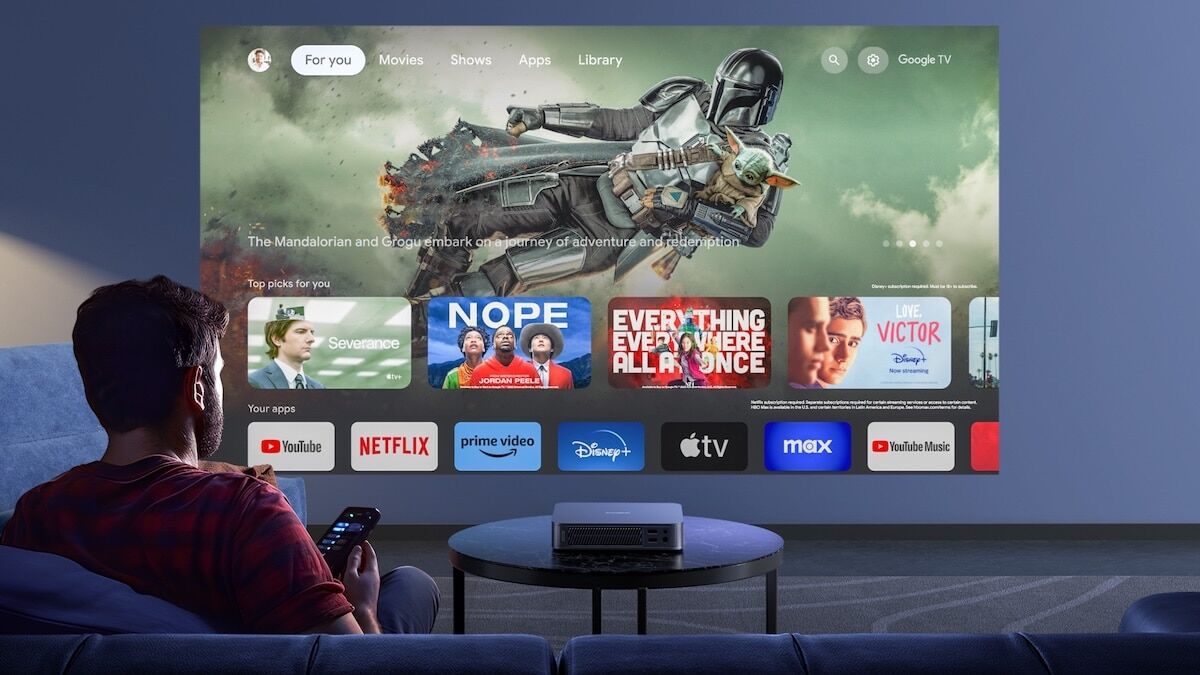
Imagine being able to watch every football match, every new film, every TV channel from around the world — all through your internet connection, on whatever device you have lying around, for about the price of two coffees a month.
That is IPTV. And if someone just mentioned the word to you and you thought "what on earth is that?" — you are in exactly the right place.
This guide is going to explain everything in plain English. No technical jargon, no Wikipedia-style waffle. Just a straightforward explanation of what IPTV is, how it works, what you can watch, what you need, and how to get started. By the time you finish reading this, you will know more about IPTV than most people who have been using it for years.
What Is IPTV?
IPTV stands for Internet Protocol Television. That sounds complicated, but it really is not. All it means is television delivered over the internet instead of through a satellite dish, an aerial, or a cable.
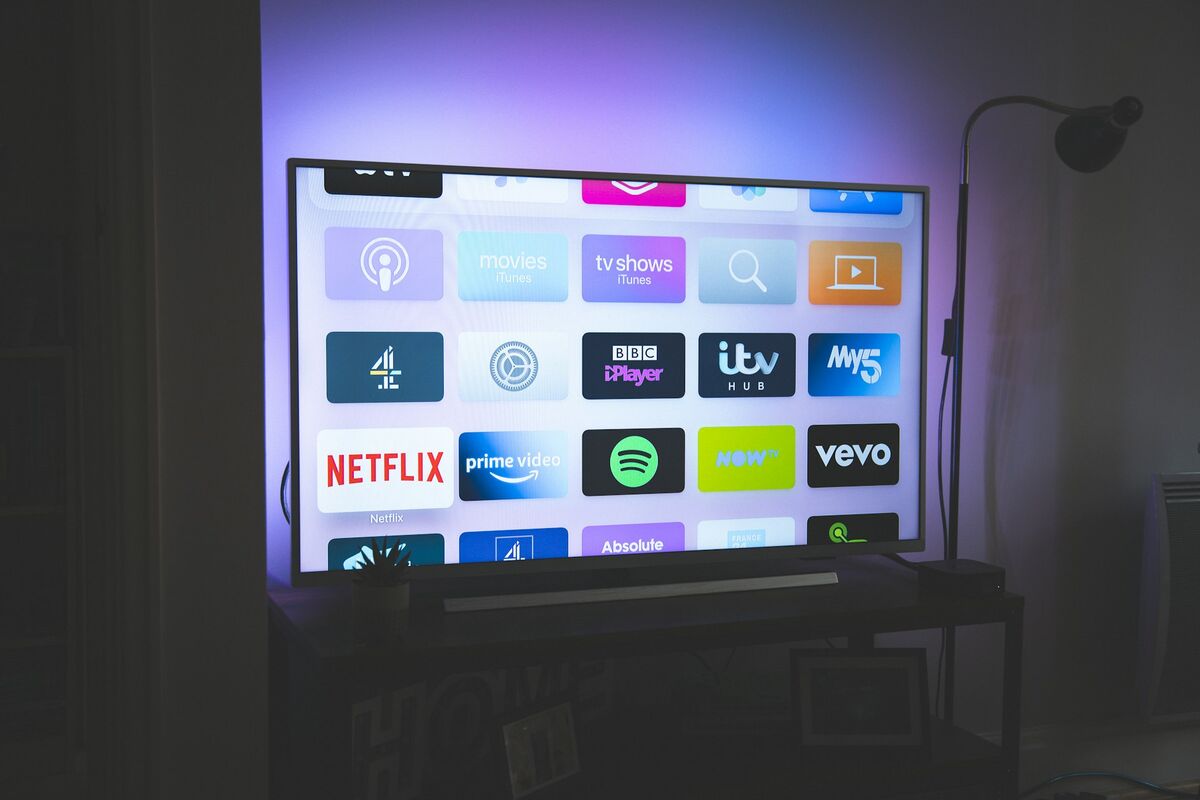
Think about how you watch Netflix or BBC iPlayer. You open an app, pick what you want to watch, and it plays. There is no dish on your roof. No cable running into your house. The content just arrives through your broadband connection. IPTV works exactly the same way, except it is not just on-demand films and series — it includes live TV channels too. Thousands of them.
So when your mate says "I use IPTV," what they mean is: they have an app on their TV or Firestick that gives them access to live channels, sports, films, and box sets, all streaming over their home internet. No Sky dish. No Virgin Media cable. No contract. Just an internet connection and a cheap monthly subscription.
The technology itself is nothing new. Every time you open iPlayer, ITVX, or Sky Go on your phone, you are using IPTV. The only difference is that a dedicated IPTV service gives you access to significantly more content — we are talking 45,000+ live channels and 80,000+ on-demand titles from over 100 countries — at a fraction of the cost.
How Does IPTV Actually Work?
This is the bit that sounds complicated but genuinely is not. Let me walk through it step by step.
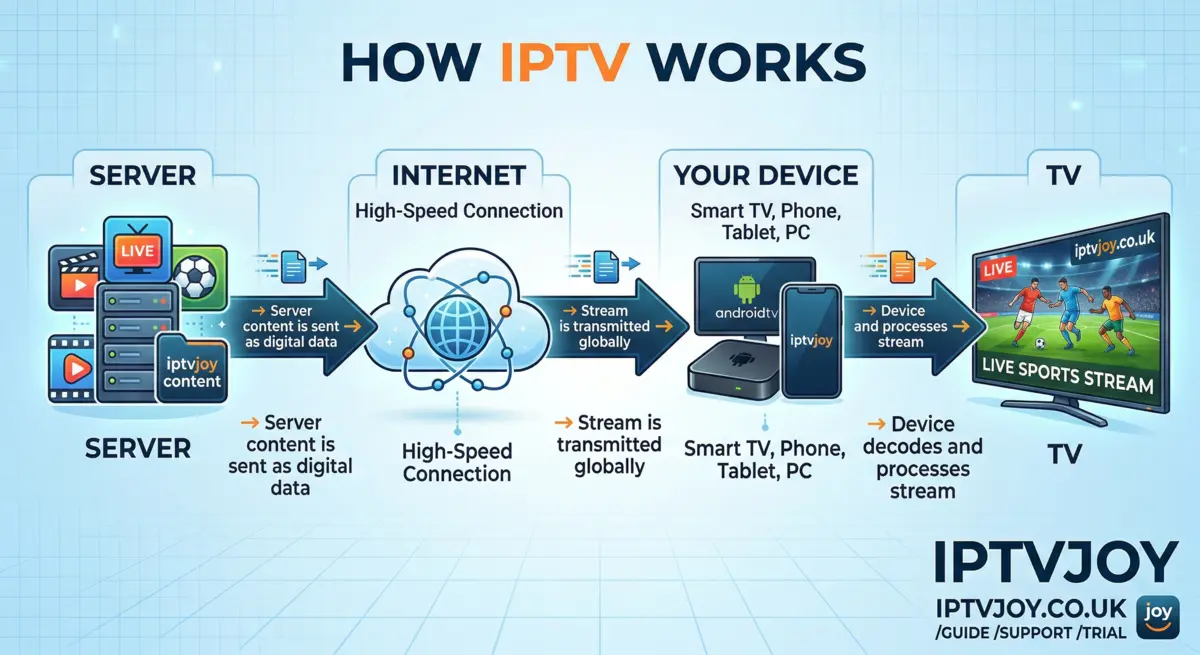
An IPTV provider has servers — powerful computers connected to fast internet lines. These servers receive live TV broadcasts from satellites and cable feeds around the world and convert them into digital streams that can travel over the internet.
When you want to watch a channel, your device sends a request to those servers. The server finds the channel you asked for and starts streaming it directly to your screen. This all happens in real time, so you are watching live TV just like you would with a dish or aerial — the picture just arrives through a different pipe.
Here is where it gets clever. Traditional TV broadcasts every channel to every home simultaneously, whether you are watching or not. Your Sky box receives hundreds of channels all at once and you just pick the one you want. That is wasteful and expensive to maintain.
IPTV only sends you the channel you are watching at that moment. When you change the channel, it stops sending the old one and starts sending the new one. This means thousands of channels can exist without needing massive amounts of bandwidth on your end. You are only ever using enough internet for one stream at a time — typically between 5 and 15 Mbps depending on the picture quality.
The Technical Bit (Briefly)
You do not need to know any of this to use IPTV, but if you are curious: when you sign up with a provider, you get login details. These usually come in one of two formats — an M3U playlist link or an Xtream Codes login (which is just a server address, a username, and a password).
You enter those details into an IPTV app on your device. The app connects to the provider's servers, pulls down the channel list, and you are ready to go. That is the entire setup. Five minutes, tops. Our setup guide walks through every step if you want the full walkthrough.
What Do You Need to Use IPTV?
Three things. That is it. You probably already have two of them.
1. An Internet Connection
You need broadband. Not superfast fibre — just a normal, working internet connection. For standard HD quality, about 25 Mbps is more than enough. For 4K content, 50 Mbps is ideal, but 25 Mbps still handles it well in practice. The average UK broadband speed is well over 60 Mbps these days, so most households are already sorted.
A wired connection (ethernet cable plugged directly into your device) will always give the smoothest experience, but Wi-Fi works perfectly for most people. If your router is in a different room and the signal is weak, a cheap powerline adapter or a Wi-Fi extender solves that easily.
2. A Device
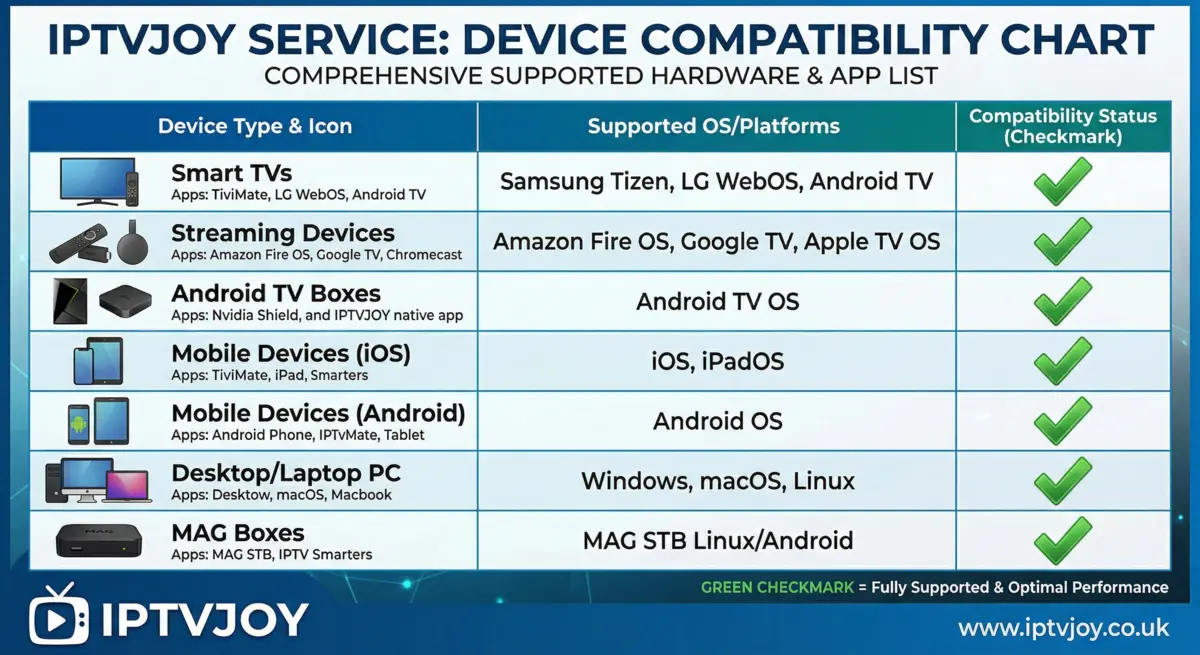
IPTV works on practically anything with a screen and an internet connection. You do not need special equipment. The most popular options are:
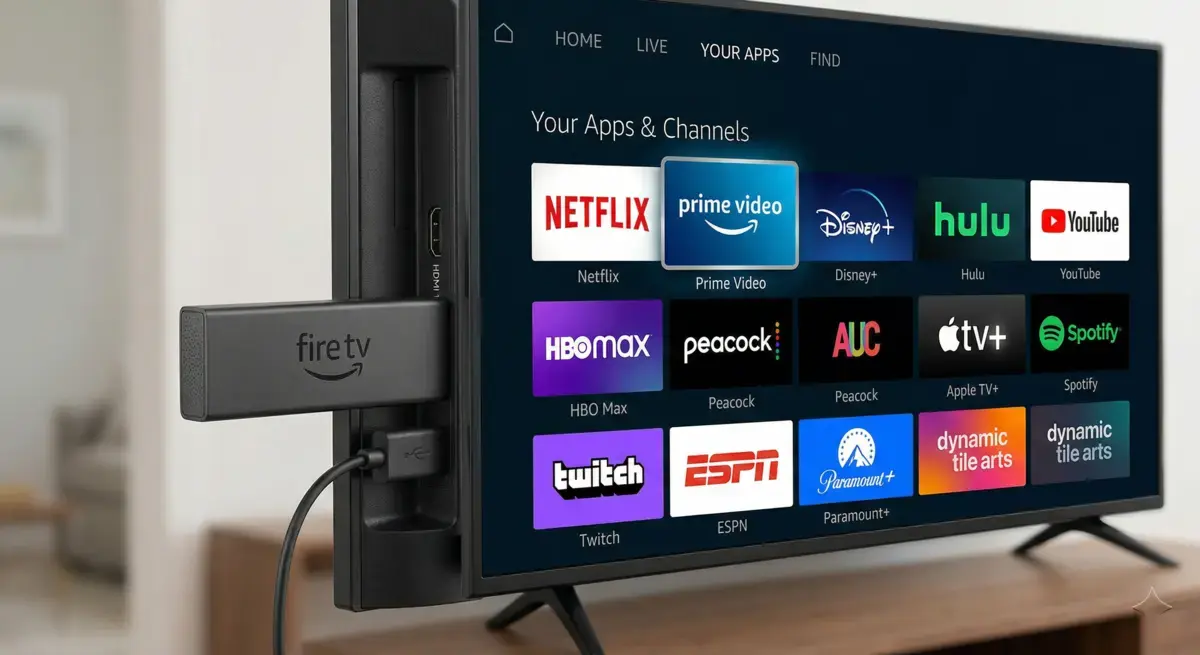
- Amazon Firestick — The single most popular choice. Costs about £30, plugs into any TV with an HDMI port, and takes minutes to set up. If you are not sure what device to use, start here.
- Smart TV — Samsung, LG, Sony, and most other modern Smart TVs can run IPTV apps directly. No extra gadget needed.
- Android TV box — A step up from the Firestick with more power. Good if you want a dedicated box for your main TV.
- Phone or tablet — Watch on Android or iOS while you are out and about, in bed, or wherever.
- Laptop or PC — Stream through a desktop app or even VLC Media Player.
- MAG box — A dedicated IPTV set-top box. Popular with people who want a traditional remote-and-box experience.
Our device setup guide has step-by-step instructions for every device, including screenshots.
3. A Subscription
You need an account with an IPTV provider. The provider gives you the login details that unlock all the channels. Plans at IPTVJoy start from just £6.67 per month, and every plan includes the full channel list — no add-ons, no hidden extras, no "premium tiers" for sports.
If you want to test it before paying, we offer a free 24-hour trial with full access to every channel and feature. No card details required. Just try it and see.
What Can You Actually Watch?
This is the part that tends to surprise people. When you hear "thousands of channels," it sounds like an exaggeration. It is not.
Live TV Channels
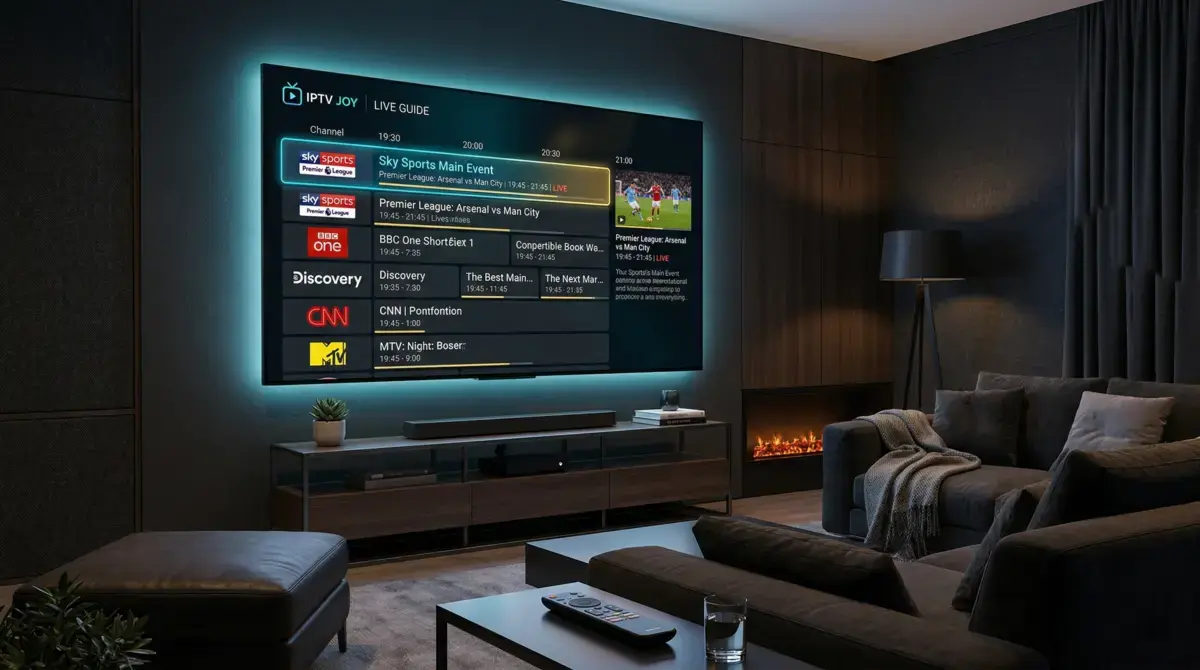
A good IPTV service gives you access to live TV from across the globe. At IPTVJoy, that means over 45,000 live channels. Every UK channel you would expect — BBC, ITV, Channel 4, Sky channels — plus channels from the US, Europe, Asia, the Middle East, Africa, and South America. If a country broadcasts television, there is a good chance it is on the list. You can browse the full range on our channels page.
Sports
This is the big one for most people. Every Premier League match — including the Saturday 3pm kickoffs that are blacked out on UK television. Champions League, Europa League, La Liga, Serie A, Bundesliga. Every F1 race. Every boxing and UFC pay-per-view. Cricket, rugby, tennis, NFL, NBA, golf — all included in the base subscription, not locked behind add-ons.
If you are currently paying for Sky Sports and TNT Sports separately, you are probably spending £60-80+ per month on sports alone. With IPTV, that is included from £6.67 a month. We have a dedicated sports page with the full breakdown of what is covered.
Films and Series On Demand
Beyond live TV, IPTV gives you a massive on-demand library. Think of it like having Netflix, Disney+, Amazon Prime, and every other streaming service rolled into one. Over 80,000 films and series, from new releases to classics, across every genre. Updated regularly so you are never stuck watching the same catalogue for months.
International Content
If you are from another country or you just enjoy foreign-language content, IPTV is a game-changer. Channels from over 100 countries means you can watch news, entertainment, and sports from back home no matter where you are in the UK. Hindi, Arabic, Turkish, Polish, Portuguese — whatever you are looking for, it is there.
Kids Channels
Dedicated kids channels and on-demand sections with cartoons, films, and educational content. Enough to keep the little ones occupied without handing them a tablet and hoping for the best.

IPTV vs Traditional TV
The honest question most people have is: why would I switch from what I already have? Fair enough. Here is the reality.
With cable or satellite — Sky, Virgin Media, BT — you are paying a premium for a limited selection. A full Sky package with sports, cinema, and entertainment runs well over £100 a month when you add it all up. And you are locked into a contract, typically 18 or 24 months. Want to cancel early? That will cost you. Want to watch on a second TV? That is an extra fee. Want to take it on holiday? Tough.
IPTV flips all of that. There are no contracts — you pay monthly, and if you want to stop, you just stop. The content library is dramatically larger because it is not restricted by regional broadcasting licences. You can watch on any device you own, not just the one box in your living room. And the price difference is staggering: what Sky charges for sports alone could pay for an entire year of IPTV.
The trade-off is that IPTV depends on your internet connection. If your broadband goes down, so does your TV. But in 2026, most UK households have reliable broadband, and the occasional five-minute outage is a small price to pay for saving hundreds of pounds a year.
Nobody is saying traditional TV is terrible. It works, and millions of people are happy with it. But if you have ever looked at your Sky bill and thought "there has to be a better way," IPTV is that better way.
Is IPTV Legal?
Short answer: the technology is completely legal. IPTV is just a method of delivering television over the internet. BBC iPlayer, ITVX, Sky Go, Netflix — they all use the same underlying technology. There is nothing illegal about watching TV through your broadband connection.
The longer answer involves the specific provider you use and how they source their content. That is a bigger topic that deserves its own discussion, which is exactly why we wrote a full article about it. If this is something that matters to you (and it should), read our dedicated guide: Is IPTV Legal in the UK?
How to Get Started
If you have read this far and you are thinking "alright, I want to try this," here is exactly what to do. It is genuinely quick — most people are watching within 10 minutes.
Step 1: Pick a Plan
Head to our pricing page and choose a plan. Every plan includes the full channel list, all sports, the entire on-demand library, and support for multiple devices. The only difference between plans is the length — longer plans work out cheaper per month. If you are not ready to commit, grab the free 24-hour trial instead.
Step 2: Set Up Your Device
Once you have your login details, install an IPTV app on your device. Popular choices include TiviMate for Firestick, IPTV Smarters Pro for Smart TVs and phones, or VLC if you are on a laptop. Enter your login, and the app loads your full channel list automatically. Our setup guide has device-specific instructions with screenshots, so even if you have never done anything like this before, you will be fine.
Step 3: Start Watching
That is it. Seriously. Pick a channel and press play. Browse the on-demand library and find a film. Flick through the sports section and see what is live. The interface works like any other TV guide — scroll through channels, set favourites, use the search function to find what you want. If you run into any issues, our support team is available to help, and our FAQ page covers the most common questions.
Frequently Asked Questions
Do I need a VPN for IPTV?
Not necessarily. A VPN can add an extra layer of privacy, and some people use one out of habit. But it is not required to use the service. If your internet service provider throttles streaming traffic, a VPN can sometimes help with buffering — but most UK broadband providers do not do this.
Will it work on my old TV?
If your TV has an HDMI port, you can plug in a Firestick or Android box and turn it into a smart TV. You do not need a brand-new television. Even a TV from 10 years ago will work with the right device plugged in.
What happens if my internet drops?
If your internet goes down, the stream stops — just like Netflix would. When the connection comes back, you pick up where you left off. A stable broadband connection is the only real requirement.
Can I watch on multiple devices at once?
Yes. The number of simultaneous connections depends on your plan. Most plans support multiple devices, so different people in the household can watch different things at the same time. Check the pricing page for the specifics.
Is the picture quality actually good?
With a decent internet connection and a reliable provider, the quality is excellent. Channels are available in HD, Full HD, and 4K where the source supports it. Sports events in particular look sharp — no blurry football players, no pixelated goal replays. The quality depends far more on your internet speed and your provider's servers than on the technology itself.
The Bottom Line
IPTV is not some complicated underground technology. It is just a smarter, cheaper way of watching television. You get live TV, sports, films, and box sets — all delivered through your internet connection, on any device, without a contract.
The people who switch tend to have one thing in common: they looked at what they were paying for cable or satellite, realised most of that money was going towards channels they never watched, and decided there had to be a better option. There is.
If you want to see what all the fuss is about, the easiest way is to just try it. Grab the free trial, set it up on your Firestick or Smart TV, and spend an evening flicking through the channels. If it is not for you, you have lost nothing. If it is — and for most people it is — you will wonder why you did not do it sooner.
Share This Article
Comments (7)
Does this work on Smart TVs? I have got a Samsung from a couple of years ago and I do not want to buy extra gadgets if I can avoid it.
Hi Tom! Yes, Samsung Smart TVs work perfectly. You just install an IPTV app from the app store on the TV itself — no extra hardware needed. Our setup guide covers the exact steps for Samsung, LG, and Sony TVs.
Switched from Sky about 6 months ago and I genuinely cannot believe I paid them that much for so long. I get more channels, better sports coverage, and it costs me less than a tenner a month. Never going back.
What kind of internet speed do you actually need for this? My broadband is not great — maybe 20 Mbps on a good day. Would it still work or would everything buffer constantly?
Hi Kev! 20 Mbps is absolutely fine for HD streaming. You would only need more for 4K content, and even then 25 Mbps handles it well. You can always grab our free trial to test it on your connection before committing to anything.
Quick question — does this include live sports? My partner is obsessed with the Premier League and we are spending a fortune on Sky Sports and TNT Sports just for football. If we could get all of that through IPTV it would save us a fortune.
Hi Aisha! Yes, every Premier League match is included — even the Saturday 3pm kickoffs that Sky and TNT cannot show. Plus F1, boxing, UFC, cricket, and basically every other sport you can think of. All included in every plan, no add-ons needed.